
As-Built BIM Services
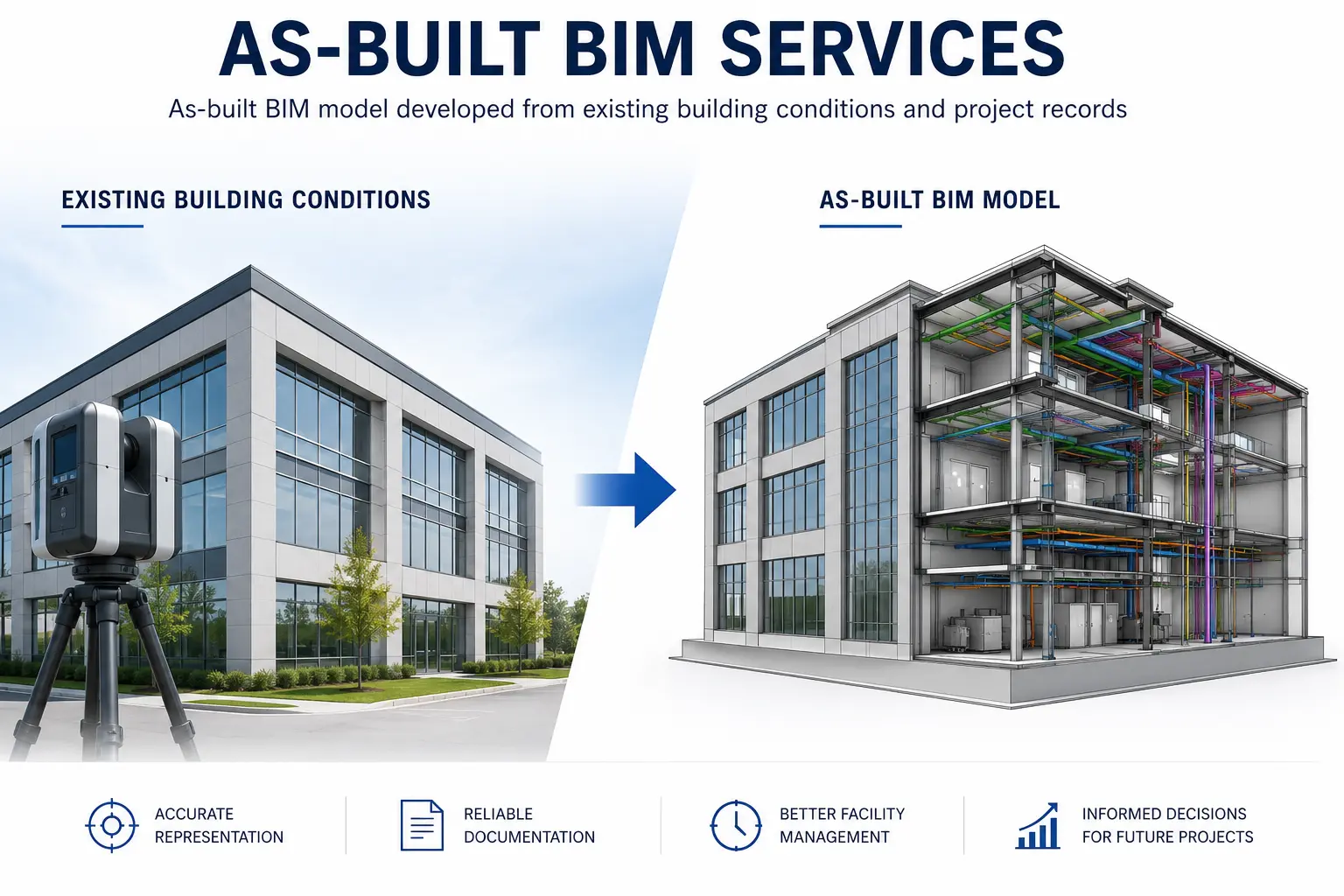
Optimar Precon provides As-Built BIM Services for project teams that need digital models developed around actual constructed conditions, survey information and available record documentation.
Our BIM team can develop architectural, structural and MEP as-built models using project records, field information and point-cloud data to support handover, renovation, asset documentation and facility workflows.
What Do As-Built BIM Services Include?
As-Built BIM Services develop digital building models around available information about actual constructed conditions, including architectural, structural and MEP elements, point-cloud data and project record information.
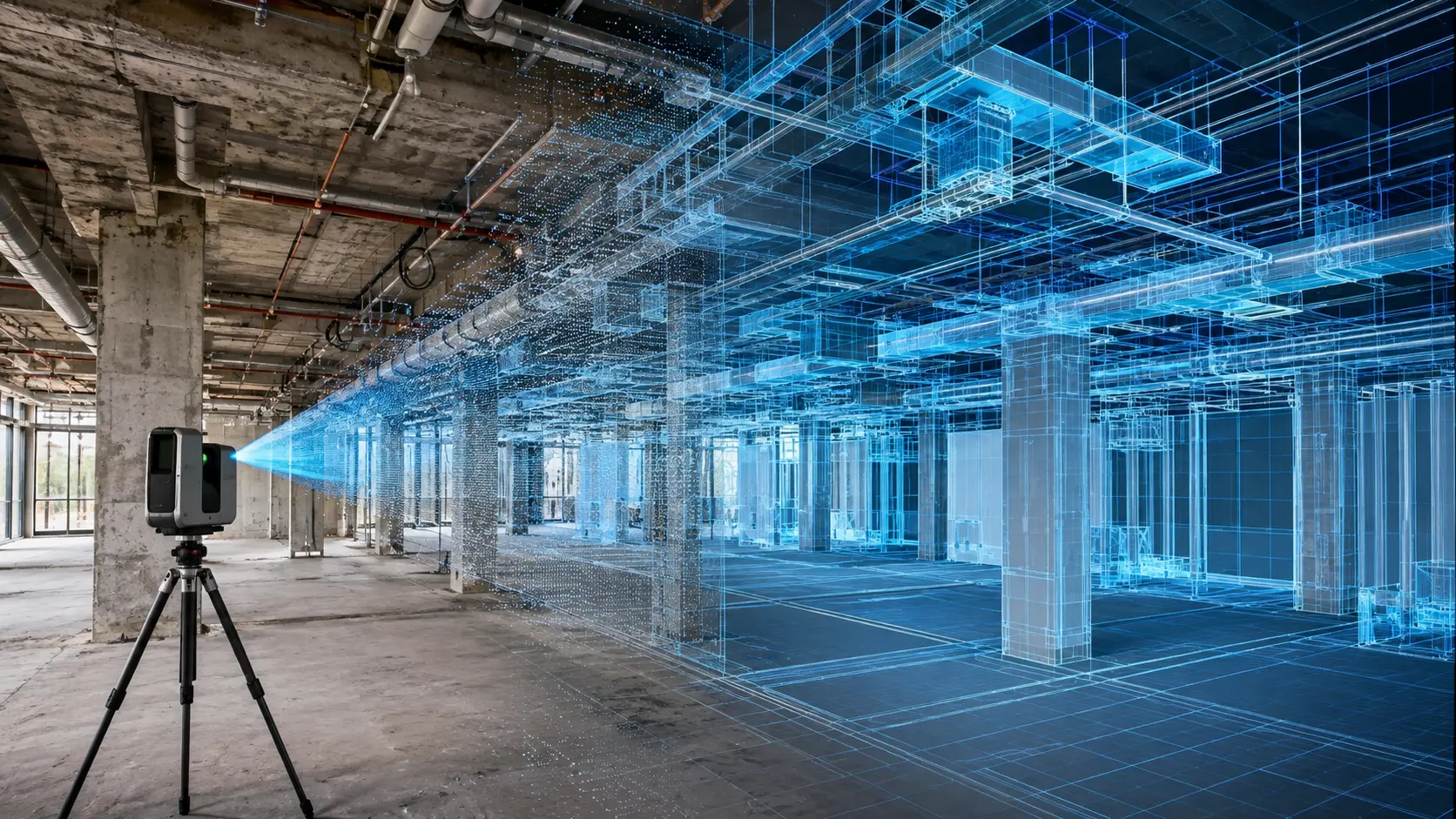
Digital Models Developed Around Constructed Conditions
The model scope can be defined around the available project records, survey information, laser-scan data, existing BIM files and the intended use of the final as-built model.
Existing layouts, walls, openings, finishes and architectural conditions can be modeled.
Structural elements can be developed around supplied survey, record and scan information.
HVAC, plumbing, electrical and fire-protection information can form part of the model scope.
Laser-scan and point-cloud information can support modeling of existing conditions.
Our As-Built BIM Modeling Capabilities
The required model can combine discipline geometry, existing-condition information, point-cloud references and applicable asset data.
Architectural As-Built BIM
Develop architectural model information around available layouts, elevations and existing-condition records.
Structural As-Built BIM
Model structural elements from available project, survey and point-cloud information.
MEP As-Built BIM
Develop existing-condition HVAC, plumbing, electrical and fire-protection model information.
Point Cloud to As-Built BIM
Use supplied laser-scan or point-cloud data as a reference for existing-condition model development.
Record Model Development
Update BIM information around supplied record drawings, redlines and construction-stage information.
Asset & Facility Information
Available equipment, asset and maintenance information can be incorporated where required.
Existing Building Systems That Can Form Part of the Model
The exact discipline scope depends on the information available and the intended use of the as-built BIM model.
Information Used for As-Built BIM Development
The model basis depends on the existing-condition information supplied for the project.
Project-Specific As-Built BIM Deliverables
Deliverables can be defined around the required disciplines, model detail, available source information and downstream project use.
Modeling & Point-Cloud Tools
Our as-built BIM workflow uses Autodesk tools for model development, coordination and point-cloud information review.
Have existing-condition data ready for BIM development?
Send your point cloud, survey information, record drawings or current BIM files for scope review.
How Our As-Built BIM Process Works
Our workflow moves from existing-condition information review through BIM model development, discipline checks, model validation and preparation of the required record-model and handover outputs.
Source Information Review
We review the supplied point cloud, survey data, record drawings, BIM files and project requirements.
Existing Conditions Assessment
Available architectural, structural and MEP information is organized around the defined model scope.
As-Built Model Development
Required building elements are developed in BIM around the supplied existing-condition information.
Model Review & Validation
Geometry, discipline content and relevant source information are reviewed against the agreed project basis.
Record Model Delivery
The required as-built model, exports and project-specific handover information are organized for delivery.
Information Reviewed Before Modeling
The exact model basis depends on the project information available and the required as-built deliverables.
- Point-cloud information
- Laser-scan records
- Survey information
- Record drawings
- Existing BIM / CAD files
- Project redlines
What We Check During As-Built BIM Development
Review activities are aligned with the agreed model scope and the source information supplied for the project.
Review modeled geometry against relevant supplied existing-condition information.
Review applicable walls, openings, layouts and other architectural elements.
Review included structural model content against the available project information.
Review applicable HVAC, plumbing, electrical and fire-protection content.
Use supplied point-cloud information as a reference where it forms part of the project scope.
Review required model parameters, identification and applicable project data.
Confirm the record and revision information used as the modeling basis.
Perform structured model checks before preparing the required project deliverables.
Record Information Organized Within the BIM Model
The final model content can be structured around the disciplines and information required for the agreed project use.
Confirm which survey, scan, record and BIM information forms the basis of the model.
Confirm whether the model includes architectural, structural, MEP or multi-discipline information.
Confirm the required model format, information level and project handover deliverables.
As-Built BIM Prepared for Downstream Project Use
Depending on the project scope, record models can support handover, future design work, renovation planning and facility information workflows.
Need an as-built BIM model for an existing facility?
Send your point cloud, survey information, record drawings or current BIM files for scope review.
As-Built BIM for Existing Buildings, Handover and Future Project Work
An as-built BIM model can provide a structured digital reference for constructed conditions, supporting downstream uses such as project handover, refurbishment, future design development, asset documentation and facility information workflows.
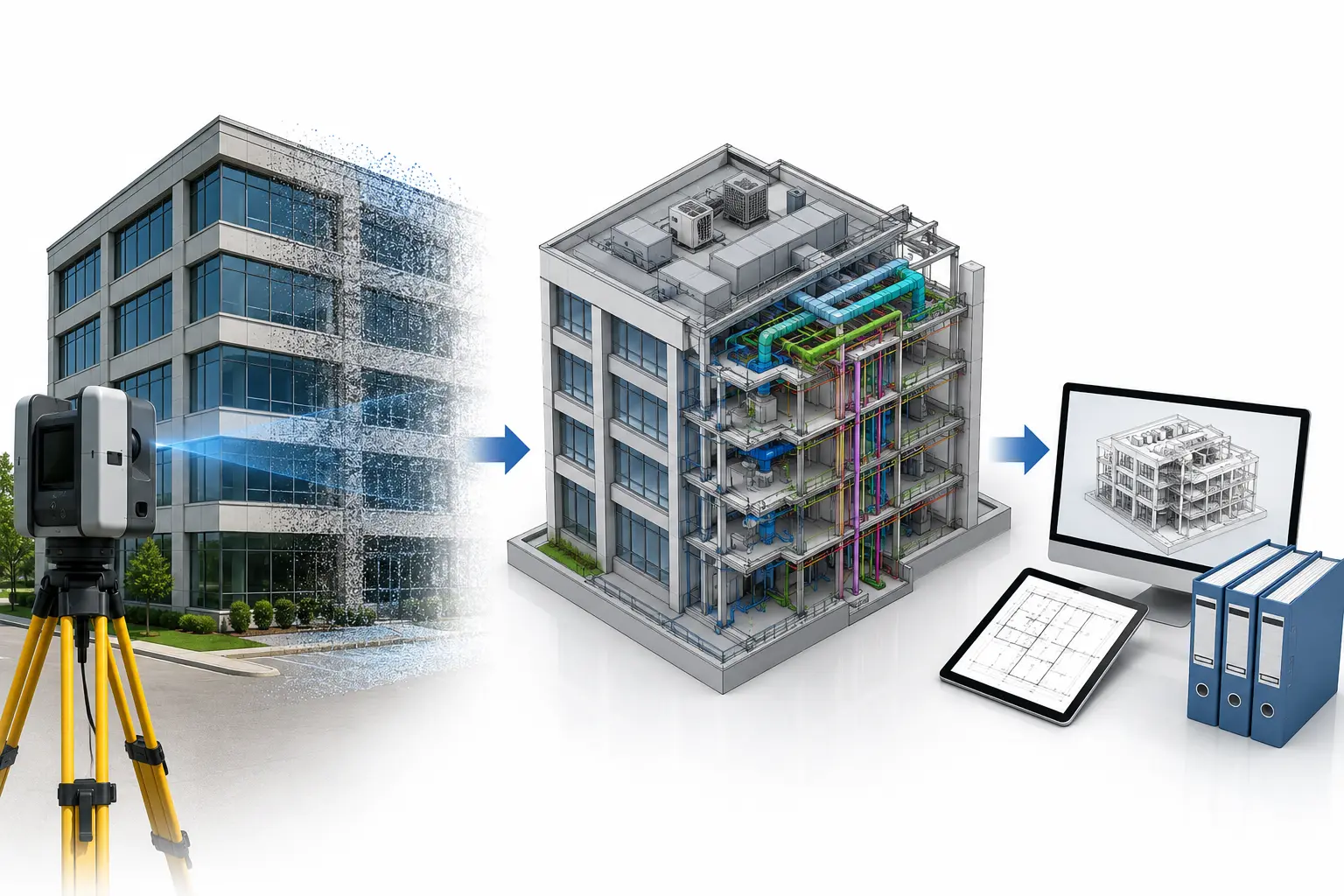
As-Built BIM Support Structured Around Your Project Information
Our approach focuses on defining the source information, discipline scope, required model content and intended downstream use before developing the as-built BIM deliverables.
Defined Model Scope
Architectural, structural, MEP and asset information can be defined around the project requirement.
Point-Cloud-Aware Workflow
Supplied laser-scan and point-cloud information can support existing-condition model development.
Structured Model Review
Model content can undergo QA/QC review against the agreed information and scope.
Defined Deliverables
Model format, discipline content and information requirements can be agreed before delivery.
As-Built BIM Across Different Building and Infrastructure Types
Existing-condition modeling can support different project environments, with model scope defined around the systems, records and project information available for each facility.









Where As-Built BIM Models Can Support Project Teams
The usefulness of an as-built model depends on the information contained within it and the purpose defined for the model at project outset.
Project Handover
Provide a digital record of modeled existing conditions as part of the agreed handover scope.
Renovation Planning
Use existing-condition model information as a reference for future alteration work.
Facility Information
Include relevant equipment or asset information when it forms part of the required model.
Future Design Reference
Provide project teams with BIM information about recorded conditions for future design work.
Digital Documentation
Organize architectural, structural and MEP record information within a BIM environment.
Asset Information
Associate available asset attributes with relevant modeled elements where required.
Scan-Based Modeling
Use supplied point-cloud information as a reference for modeling existing conditions.
Record Model Update
Develop or update record BIM information around supplied project and field documentation.
As-Built BIM Requirements Should Be Defined Project by Project
The required level of geometry, information and asset data should align with the intended use of the model and the source information available.
LOD 500 Can Be Used for Record / As-Built BIM Requirements
Where the project BIM requirements call for an LOD 500 record model, the required geometry, verification basis and information content should be clearly defined before modeling begins. Not every as-built project requires the same level of detail.
Need an as-built model developed from existing-condition information?
Send your point cloud, survey information, record drawings or current BIM files for scope review.
Frequently Asked Questions About As-Built BIM Services
Answers to common questions about existing-condition BIM, point-cloud inputs, architectural and MEP modeling, record-model requirements and project deliverables.
What are As-Built BIM Services?
As-Built BIM Services develop digital models around available information about actual constructed conditions, including architectural, structural and MEP elements.
Can point-cloud or laser-scan data be used for As-Built BIM?
Yes. Supplied point-cloud, laser-scan and survey information can be used as reference data for modeling existing conditions within the agreed BIM scope.
Can you create As-Built BIM models for MEP systems?
Yes. The model can include HVAC, plumbing, electrical and fire-protection systems when the required source information is available and included in the project scope.
What can an As-Built BIM model be used for?
Depending on model content, as-built BIM can support record documentation, project handover, future design work, renovation planning and facility information workflows.
What information should I send to start an As-Built BIM project?
Send the available point-cloud or survey data, record drawings, current BIM or CAD files, project redlines, required disciplines and expected model deliverables.
Have a project-specific As-Built BIM question?
Send your available scan, survey, record or BIM information and tell us what model output you require.
Discuss Your BIM Scope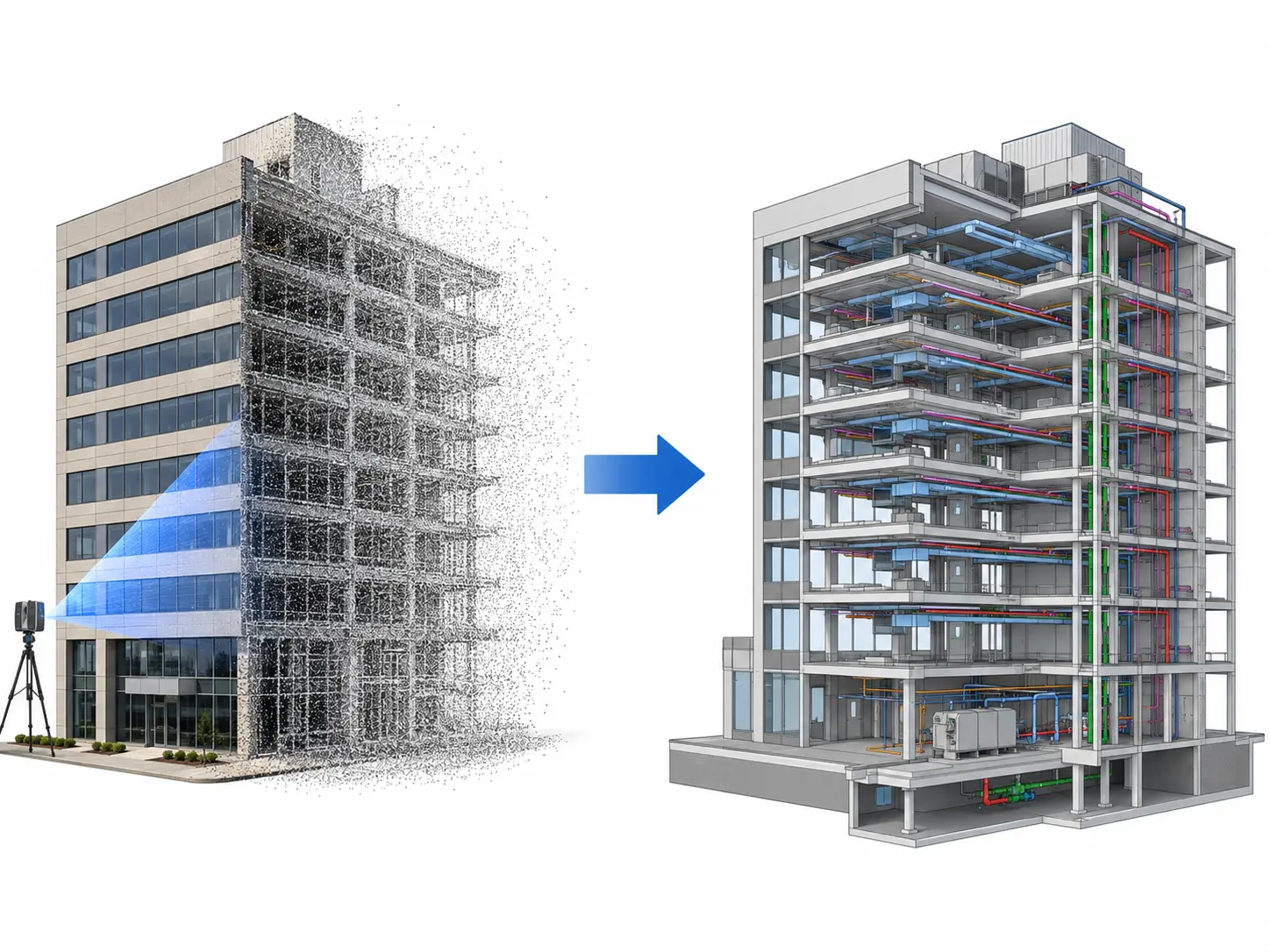
Ready to Develop an As-Built BIM Model from Your Existing Project Information?
Send your point cloud, survey information, record drawings, current BIM or CAD files and required model scope. Our team can review the available information and discuss the required As-Built BIM deliverables.