
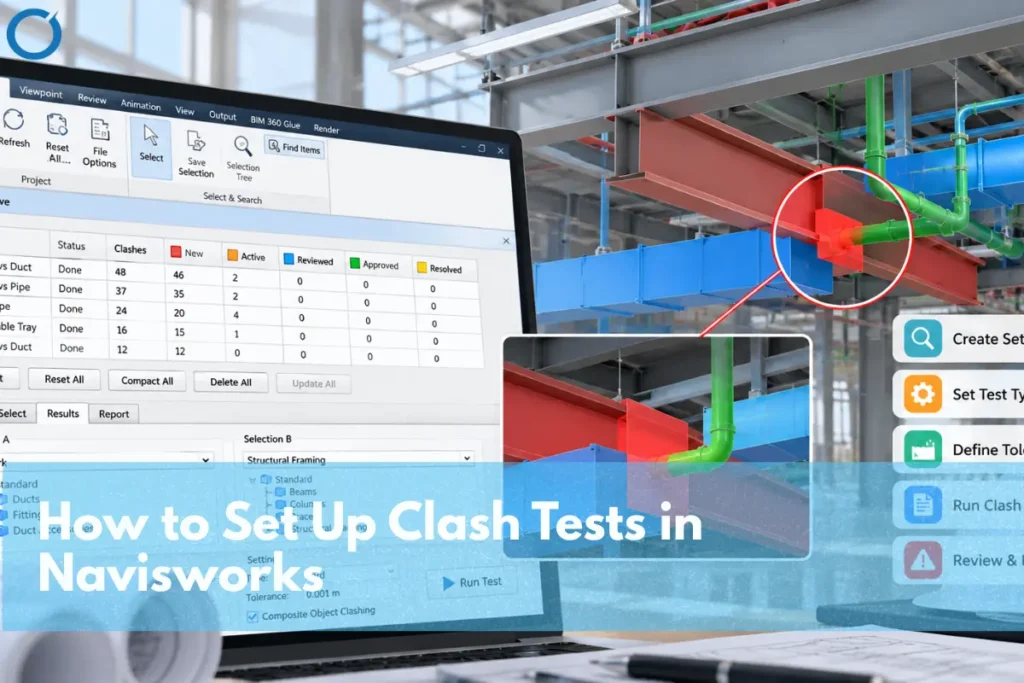
Why does a first clash run so often return thousands of results nobody can use? Generally speaking, it’s more about the setting than the model. Navisworks Clash Detective will analyze whatever you point to using whatever tolerance level you choose. Great clash tests are specific, have clear names, and are based on saved sets to answer only one coordination question.
The process of conducting a clash test in Navisworks entails launching the Clash Detective in Navisworks Manage, creating a test, selecting Selection A and Selection B that ought to be selected from saved search sets. The test can either be Hard or Clearance, specify a tolerance, and skip unnecessary couples. Conduct the test, categorize the output, and distribute the issues among different trades.
What Are Some of the Requirements Needed Before Proceeding?
Some things need to happen before the first test can even be considered worthwhile:
- Navisworks Manage. Clash Detective is only available in Manage, not in Simulate or the free Freedom viewer.
- Aligned models. Every trade’s model needs to share the same coordinates. A duct model sitting two feet off the structure will produce hundreds of false clashes.
- One file per trade. Storing structural, mechanical, plumbing, and electrical systems in different files helps make selecting them easier.
- A clash matrix. A simple grid of which trades get tested against which, at what tolerance, ideally agreed in the BIM execution plan. BIM Coordination Services use this clash matrix to structure trade-to-trade reviews and keep coordination meetings focused on actionable issues.
The matrix is the step where many teams fail and determines whether the information will be useful or not. Without it, people test everything against everything and spend the coordination meeting scrolling.
Which Test Type Should You Use?
Clash Detective offers four test types, and each one finds a different kind of problem:
| Test type | What it finds | Typical use |
|---|---|---|
| Hard | Geometry of A and B intersects by more than the tolerance | Duct through a beam, pipe through a duct |
| Hard (Conservative) | Every pair that might clash, including some a standard hard test misses | Parallel pipes that overlap slightly at their ends |
| Clearance | Items closer than the tolerance distance, touching or not | Maintenance access, insulation space, required clearances |
| Duplicates | Identical geometry in the same location, within the tolerance | Elements duplicated when models were copied or linked twice |
Most coordination runs on hard tests, with clearance tests added where access or code distances matter. Clash Detection Services typically combine hard and clearance tests according to the coordination requirements of each trade pair. Conservative hard tests, which are more exhaustive, produce more false positives; therefore, they function well when used on a small selection.
How Do You Set Up a Clash Test, Step by Step?
First, create your sets, then your tests. Sets that are created by navigating through the tree lose their relevance the moment a model update occurs, whereas saved search sets update themselves to include the new elements.
A well-defined BIM Execution Plan should also establish the clash detection workflow, naming conventions, responsibilities, tolerances, and model review schedule before coordination begins.
- Create search sets. Utilize the Find Items tool to create sets based on file, layer, category, or system types like supply duct, sanitary piping, or structural framing systems. Give names that will be comprehensible to everyone on your team.
- Add a test. In Clash Detective, add a new test and give it a name that says what it checks, for example, “L3 Supply Duct vs Structure, Hard.”
- Select the selections. In the Select tab, assign Selection A and Selection B in your sets and select the types of geometries, such as surfaces, lines, or points.
- Choose type and tolerance. Set the test type and enter the tolerance from your clash matrix.
- Add rules. On the Rules tab, ignore pairs that don’t matter, such as items in the same file, the same layer, or the same composite object.
- Run it. Do the test and see the number of results. If there are more than thousands of them, then chances are you need to rethink your configuration even before any review starts.
After you’ve made sure that a particular set of tests works on your project, you can export your tests to XML format. Sets for searching can also be exported, just like your tests, to use on your next project.
How Should the Test Be Done On a Larger Project?
In a multi-level building, tests should be separated according to levels and trade pairs. In other words, the common tests done at each level would be supply duct to structure, sanitary piping to structure, duct to piping, and sprinklers to everything. MEP BIM Services help coordinate these mechanical, electrical, plumbing, and fire protection systems within the available ceiling and service zones. All the tests remain relatively small to be reviewed at once, and whenever one of the trades updates the system, then all tests for that trade should be redone.
Test naming should start from the level name so the tests can be listed according to their order, and the test list should be synchronized with the clash matrix. Whenever a new test is added but not present in the matrix, it should be either added to the matrix or deleted.
What Should You Use for Tolerance?
Tolerance is your way of screening out those clashes which are to be solved on-site anyway. In case of a hard test, any clash below the tolerance level does not get noticed. When it comes to clearance test, the tolerance becomes the required distance, and any clash within that distance is shown as a clash.
There is no such thing as a universal value. The same group of people might decide not to take note of any small hard clash between flexible elements, such as sprinkler drops and ceiling grid, but not have any tolerance for any clash with structure. No matter what you set, document it in the clash matrix. Navisworks automatically converts any value written to the model units system.
Accurate BIM Modeling Services are equally important because clash-test results depend on correctly modeled geometry, coordinates, and system information.
What Do You Do With the Results?
A clash run is only useful if results are tracked from one run to the next. Clash Detective does that with statuses:
- New. Found for the first time in the current run.
- Active. Found in a previous run and still not fixed.
- Reviewed. Someone has looked at it.
- Approved. Someone has accepted it, and Navisworks records who.
- Resolved. Previous run had it, but it’s not there anymore now.
One duct through 20 joists is only one coordination problem, not 20. Allocate each team to one trade, give it a perspective and a comment, then create the report for the meeting. These issues become the agenda for the BIM coordination process, where each trade discusses the required solution, responsibility, and deadline.
What Setup Errors Should You Steer Clear Of?
The majority of the issues that are associated with clash detection results are due to a few setup practices:
- Testing everything against everything. One giant test buries the real issues. Split tests by trade pair and by level.
- Zero tolerance across the board. It floods the results with clashes nobody will act on.
- Manual selections instead of search sets. They miss new elements after every model update.
- Deletion and creation of tests weekly. Statuses are relevant for progress only when the same test is run again. Whenever there is a change to the model, the test gets flagged as “Old.”
- Skipping the alignment check. If one model is offset, every result from it is noise.
In case you are a beginner at this, we have a guide that explains the basics of clash detection in BIM before using Navisworks.
Need assistance with coordination on an active project? Optimar Precon provides BIM services including clash detection for MEP and structural disciplines, with tests, tolerances, and grouping of reports tailored to your BIM plan.
FAQs
Only Navisworks Manage. Navisworks Simulate and the free Navisworks Freedom viewer don’t include it.
A hard clash means two items physically intersect. A clearance clash means they come closer than a set distance, whether or not they touch.
Test/model has been modified from the previous test run. Please rerun the test to update results.
Yes. Tests and search sets can be exported to XML and imported to the next project, with selection adjustments made accordingly.
With each new version of models being provided, and prior to each coordination meeting, where the updated clash test list is reviewed by all participants.