- Revit vs. AutoCAD for MEP: What Is the Difference?
- How Are the Features of Revit and AutoCAD Compared?
- Is Revit Set-up Effort Justified?
- When Is AutoCAD Still the Better Tool?
- Can You Use Both on the Same Project?
- How Does the Choice Change the Takeoff?
- What Does It Mean for Coordination?
- How Do You Pick for a Specific Job?
- FAQs
Ask ten MEP contractors whether they do their work in AutoCAD or model in Revit, and almost all would answer that they do both. The use of either software depends on the task at hand, and the decision is usually based on some basic factors such as complexity of the ceiling, requirements of the contract, and fabrication from model.
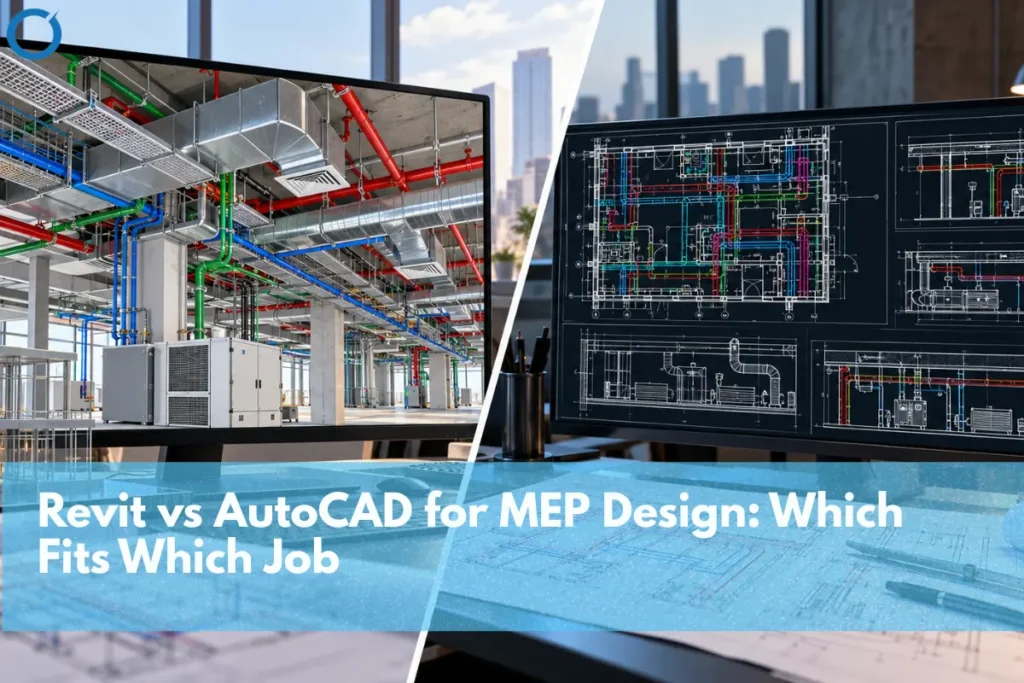
Revit models MEP systems as connected 3D objects, so plans, sections, and schedules all come from one model. AutoCAD, including its MEP toolset, works from drawings and is quicker for 2D layouts, small scopes, and drawing-only deliverables. Crowded, multi-trade jobs usually go to Revit. Quick 2D work and old DWG sets usually stay in AutoCAD.
Revit vs. AutoCAD for MEP: What Is the Difference?
When there is a duct in Revit, there is an object in the program and it knows about its size, to what system it belongs, and with which other objects it is connected. Plan views, sections, and schedules produced through BIM Modeling Services all come from one coordinated model., therefore, when an engineer changes the size of the main from 24×12 to 30×14, he/she does it on all drawings and sheets.
Every plan view and section view in AutoCAD is a drawing and the MEP toolset, included into AutoCAD subscription, provides over 10,500 intelligent objects and updates drawings, sheets, and schedules if needed. This removes most of the difference. However, the work is sheet-based, and a section being in compliance with the plan drawn above it is partly up to the drafter.
How Are the Features of Revit and AutoCAD Compared?
Here’s how they stack up on the things MEP teams actually argue about:
| Feature | Revit | AutoCAD (with MEP toolset) |
|---|---|---|
| Working method | 3D model; all views generated from it | Drawing-based, with optional intelligent 3D objects |
| Change management | Change once; plans, sections, and schedules update | Updates within the drawing set; cross-sheet checks are partly manual |
| System data | Connected systems with flow, size, and circuit data | Connected objects within drawings; less system-wide data |
| Clash detection | Built-in interference checks; exports to Navisworks | Through Navisworks when 3D content exists; limited for 2D-only sets |
| Quantities | Live schedules straight from the model | Schedules from objects; plain 2D linework needs manual takeoff |
| Fabrication | Fabrication parts from shared Autodesk Fabrication content | Fabrication CADmep runs on AutoCAD |
| Learning curve | Steeper; templates and families need setup | Familiar to most drafters |
| Files and hardware | Large models; heavier hardware | Lighter files; runs on modest machines |
Is Revit Set-up Effort Justified?
Imagine a medical office building with three stories. Supply and return main pipes, medical gases, sprinklers, and cable tray are all fighting for the space above the ceiling. These clashes are found in 2D by overlaying sheets and sections, and some of them are not found until the sprinkler fitter shows up on site. Clash Detection Services can identify these conflicts in the Revit model weeks before anyone orders material.
That’s the main case for Revit: crowded ceilings with several trades. There are a few other factors that drive it in the same direction. Most owners and general contractors specify in their contracts Revit model, LOD levels and the BIM execution plan. Fast-track jobs with constant design changes are easier to manage with one model to update instead of forty sheets. And if the shop plans to prepare Fabrication Drawing Services and prefabrication deliverables, Revit design elements at LOD 300 can be converted to LOD 400 fabrication parts using Autodesk Fabrication content, so the design model feeds straight into the shop.
That handoff is where level of development matters most. An LOD 300 duct shows size and route. An LOD 400 duct has the fittings, joints, and hangers a fabricator can actually build from.
When Is AutoCAD Still the Better Tool?
For a lot of day-to-day MEP work, AutoCAD is simply faster. A tenant improvement with a few diffusers and a branch duct doesn’t need a model. Neither does a service call or a one-sheet revision.
It also wins when everything you have is DWG. If a building’s records are years of AutoCAD files, converting them for a small job costs more time than it saves. Electrical one-lines and schematic layouts are 2D by nature, so there’s little to gain from modeling them.
Then there are the fabrication shops. Plenty of sheet metal and piping contractors detail in Fabrication CADmep, which runs on AutoCAD, and their whole shop process is built around it.
Finally, be upfront about the team. A team skilled at AutoCAD will complete a quick 2D set more efficiently than a team that is just becoming familiar with Revit, and this is not the time to introduce a new tool. Introducing Revit into the team involves making sure that templates and families exist, and that people know what to do with them.
Can You Use Both on the Same Project?
Most firms do. CAD to BIM Services allow teams to bring existing DWG backgrounds into Revit while maintaining usable drawing information. Revit sheets get exported to DWG for consultants who never moved over, and fabrication content moves between Revit and the AutoCAD-based Fabrication products.
Where mixed workflows go wrong is usually ownership. One person makes changes to the duct layout within a DWG export while another makes changes to it in the model, and they quietly drift apart from each other. Establish which file controls the systems, how units, layers, and names correspond before the first file is exported. Include it in the BEP so that it doesn’t get lost when people leave the company.
How Does the Choice Change the Takeoff?
Estimators recognize this immediately. Construction Takeoff Services can use a detailed Revit model to count fittings and measure duct and pipe by size, system, and floor, and those quantities change as the design changes. With a 2D drawing set, measurements need to be taken either manually or within takeoff software, and each new revision requires the affected areas to be re-measured. On a bid with several addenda, that alone can decide which quantities the estimator trusts on bid day.
Model quantities aren’t automatically right, though. An LOD 300 model usually lacks hangers, accessories, and certain fittings. Anything that has been modeled as a placeholder, or that was not linked to a system, will disappear from the schedule unnoticed. Remember that a model will reflect what has been modeled rather than what the contract calls for. Use model quantities as a first cut that needs to be verified against the drawings and the specifications.
What Does It Mean for Coordination?
BIM Coordination Services use the Revit model to identify, categorize, and resolve MEP conflicts before installation. wherein conflicts are enumerated, categorized per trade and are then resolved. With 2D drawings, the same conflicts are found by eye, if they’re found before installation at all.
Modeling takes longer up front than drafting the same layout. On a congested building with several trades, that time usually comes back in fewer field fixes. On a small 2D scope, it usually doesn’t.
How Do You Pick for a Specific Job?
Start with the contract. If it calls for Revit models or a BEP, you’re done. And if not, then consider the ceiling: The more trades confined to a small space, the more likely the need for a model. Determine whether prefabrication will occur, determine the format of the current drawings, and factor the deadline against what is known about the project. If both systems will be utilized, formalize the exchange process prior to any drawing work.
Two quick examples. A 4,000 sf office fit out involving new diffusers, one VAV box, and a few branch lines: AutoCAD, without question. An outpatient facility with medical gas and an exhaust system, along with a GC holding regular coordination meetings: Revit, most likely, along with a federated model in Navisworks as well. And most fall somewhere in between, which is when all of these questions become relevant.
Need MEP models built to a project’s BIM requirements? Optimar Precon’s team provides MEP BIM services in Revit and delivers DWG exports for anyone still working in AutoCAD.
FAQs
Yes. It comes as the MEP toolset included with an AutoCAD subscription.
No more. The standard version of Revit now combines these tools into a single software package.
Yes. You can import or link DWG files into Revit, and export Revit views and sheets to DWG.
For coordinated designs with circuit layouts and panel schedules linked to the model, Revit wins out. For simple 1-line and 2D drawings, AutoCAD might be faster.
Many jobs now require it for coordination, but plenty of contractors still detail and fabricate in AutoCAD-based tools. Running both is common.